
Introduction
The battle for music streaming supremacy has expanded beyond official apps into the modified application space. Two contenders dominate this underground landscape: Spotify Mod APK and YouTube Music Revanced. Both promise premium features without subscription costs, but they deliver fundamentally different experiences.
If you’re trying to decide which modified music app deserves space on your Android device, you’ve come to the right place. I’ve spent months testing both platforms extensively—on different devices, across various network conditions, and with diverse music tastes. This comprehensive comparison examines every aspect that matters: audio quality, music library, interface experience, stability, and long-term reliability.
Understanding the Contenders
Before diving into the comparison, let’s establish what each application actually is.
Spotify Mod APK
Spotify Mod APK is a modified version of the official Spotify Android application. It unlocks premium features including ad-free listening, unlimited skips, on-demand playback, and extreme audio quality. The mod does not enable offline downloads—that feature remains server-side and inaccessible to modifications.
Most Spotify mods in 2026 are based on older, stable versions of the app, typically from the 8.8.x or 8.9.x series. These base versions were chosen because they strike a balance between modern features and mod stability. The modifications are applied to the client-side code, tricking the app into believing the user has premium privileges.
YouTube Music Revanced
YouTube Music Revanced is part of the broader ReVanced project, which emerged as the successor to the now-defunct Vanced. Revanced is not a pre-modified APK but rather a patcher—a tool that applies modifications to your own copy of the YouTube Music app.
The Revanced approach offers several advantages. Because you patch the official app yourself, you’re not downloading a pre-modified APK from potentially untrustworthy sources. The patches are open-source, meaning the code is publicly available for security auditing. You control exactly which modifications to apply.
YouTube Music Revanced unlocks:
- Background playback (listen with screen off)
- Ad-free listening
- Audio-only mode (saves data)
- Unlimited skips
- Download functionality (with limitations)
- Return of the dislike counter
Music Library Comparison
The fundamental difference between these platforms lies in their music catalogs.
Spotify’s Music Library
Spotify boasts over 100 million tracks, encompassing virtually every major label release, a vast independent catalog, and an extensive podcast library. Spotify’s strength is its comprehensive coverage of Western popular music, including:
- Complete catalogs from Universal, Sony, and Warner Music Group
- Extensive independent and underground artists
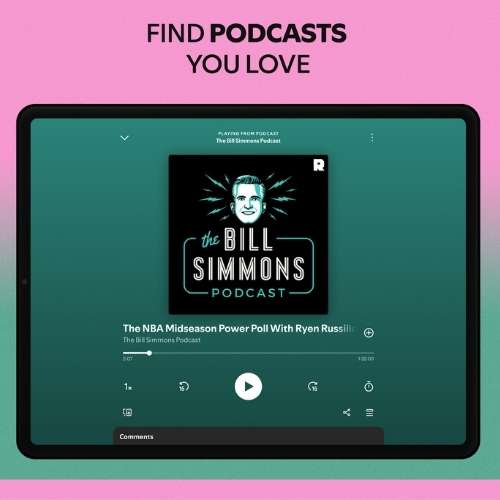
- The world’s largest podcast collection
- Curated playlists across every genre
Spotify’s weakness is its handling of niche content. Remixes, bootlegs, and user-uploaded content are largely absent. If you’re looking for that obscure live recording or unofficial mashup, Spotify likely doesn’t have it.
YouTube Music’s Library
YouTube Music’s library is fundamentally different because it draws from two sources:
- Official tracks: The same catalog as YouTube Music’s licensed content, comparable to Spotify
- YouTube uploads: Every video uploaded to YouTube becomes potentially available as audio
This second source creates a library that is both larger and more diverse than Spotify’s. You’ll find:
- Official releases from all major labels
- User-uploaded remixes and mashups
- Live performances and concert recordings
- Cover versions not available on streaming platforms
- Obscure international music
- Rare demos and unreleased tracks
For music enthusiasts who enjoy discovering rare content, YouTube Music’s library is unmatched. However, this diversity comes with trade-offs. Audio quality varies dramatically between official tracks and user uploads. A professionally mastered track sounds completely different from a concert recording captured on a phone.
Library Verdict
Winner: YouTube Music Revanced for library breadth and diversity. Winner: Spotify Mod APK for consistent quality and podcast integration.
If you primarily listen to mainstream music and podcasts, Spotify provides a more polished experience. If you chase rare tracks, live recordings, or niche content, YouTube Music’s integration with YouTube uploads makes it the superior choice.
Audio Quality Analysis
Audio quality matters immensely for serious listeners. Let’s examine what each platform delivers.
Spotify Mod APK Audio Quality
Spotify Mod APK unlocks the “Very High” quality setting, which streams at 320 kbps using the Ogg Vorbis format. This is Spotify’s maximum bitrate, identical to what official Premium subscribers receive.
In practice, 320 kbps Ogg Vorbis is considered transparent for most listeners—meaning you cannot distinguish it from lossless audio under normal listening conditions. The quality is consistent across all officially licensed tracks because Spotify maintains uniform encoding standards.
The mod’s audio quality is stable and reliable. Once you set the quality to Very High in settings, every official track streams at that bitrate, provided your internet connection supports it.
YouTube Music Revanced Audio Quality
YouTube Music’s audio quality is more complicated. Official tracks stream at up to 256 kbps AAC, which is comparable to Spotify’s 320 kbps Ogg Vorbis in perceived quality. AAC is a more efficient codec, meaning 256 kbps AAC often sounds as good as or better than 320 kbps MP3, though Ogg Vorbis and AAC are roughly comparable.
The complication arises with user-uploaded content. These tracks stream at whatever quality the uploader provided. You might encounter:
- High-quality uploads at 256 kbps AAC
- Standard YouTube audio at 128 kbps
- Poor-quality recordings with audible compression artifacts
Revanced includes patches that can force higher quality streams when available, but it cannot improve the source material. If you’re listening to a fan-uploaded concert recording, the quality reflects whatever the uploader originally submitted.
Audio Quality Verdict
Winner: Spotify Mod APK for consistency and reliability.
If you listen primarily to official releases, both platforms deliver excellent audio quality. However, Spotify guarantees consistent quality across its entire catalog. YouTube Music’s quality is only as good as the specific track you’re playing.
Feature Comparison
Let’s examine specific features side by side.
Background Playback
- Spotify Mod APK: Background playback works fully. You can lock your screen, switch to other apps, and music continues playing. This is a core feature of the mod and functions reliably across all tested versions.
- YouTube Music Revanced: Background playback is a primary reason users choose Revanced. The patched app allows screen-off playback, something the official YouTube Music app restricts to Premium subscribers. The implementation is stable and works consistently.
- Winner: Tie. Both deliver reliable background playback.
Ad-Free Experience
- Spotify Mod APK: Completely ad-free. No audio ads between songs, no video ads, no banner ads within the interface. The experience is identical to official Premium.
- YouTube Music Revanced: Ad-free as well. The patched app removes all advertisements that would normally interrupt free users. Some users report occasional ad slips after YouTube’s server-side updates, but patches are usually updated quickly.
- Winner: Tie. Both provide ad-free listening.
Offline Downloads
- Spotify Mod APK: Offline downloads do not work. This feature requires server-side authentication that mods cannot bypass. Any mod claiming to offer offline downloads is either lying or distributing malware.
- YouTube Music Revanced: Downloads work, but with significant limitations. You can download tracks for offline playback, but the functionality is less reliable than official Premium. Downloads may expire unexpectedly, and some users report downloads disappearing after app updates.
- Winner: YouTube Music Revanced by default, though with caveats. Neither offers the robust offline experience of official Premium.
Playback Control
- Spotify Mod APK: Full on-demand playback. Choose any song, any time. Unlimited skips. Repeat one or repeat all. Shuffle toggles on and off. Complete control over your listening experience.
- YouTube Music Revanced: Similar on-demand capabilities. Unlimited skips, full playlist control, and the ability to play any track. The interface differs from Spotify but provides comparable control.
- Winner: Tie. Both unlock the core premium playback features.
Audio Quality Control
- Spotify Mod APK: Simple quality settings with three options: Low (24 kbps), Normal (96 kbps), High (160 kbps), and Very High (320 kbps). Once set, the quality applies to all streaming.
- YouTube Music Revanced: Quality settings are more complex. You can set streaming quality for both audio-only mode and video mode. The “Always play audio only” patch forces audio-only streaming, saving significant data.
- Winner: YouTube Music Revanced for flexibility, Spotify for simplicity.
Interface and User Experience
The way you interact with your music shapes your daily experience.
Spotify Interface
Spotify’s interface has evolved over years of refinement. The home screen surfaces personalized recommendations, recently played content, and curated playlists. The library organizes your saved music into playlists, artists, albums, and podcasts.
The mod does not alter the interface beyond unlocking premium features. You get the same experience as official Premium users, which is generally polished and intuitive.
Strengths:
- Excellent playlist management
- Strong recommendation algorithms
- Seamless cross-device sync (with limitations in mods)
- Podcast integration
Weaknesses:
- Frequent UI changes that can be confusing
- Prominent promotion of podcasts even for music-focused users
- Some features require updates that may break mods
YouTube Music Interface
YouTube Music’s interface emphasizes discovery through its YouTube integration. The home screen mixes official releases with user-uploaded content, creating a more chaotic but potentially more interesting discovery experience.
The Revanced patches don’t change the interface but can remove elements like upgrade prompts and ads.
Strengths:
- Seamless integration with YouTube content
- Music videos easily accessible
- Strong recommendations based on YouTube history
- Clean, modern design
Weaknesses:
- Interface can feel cluttered
- Less robust playlist management
- Confusing separation between uploaded and saved music
Interface Verdict
This is subjective, but I give a slight edge to Spotify Mod APK for its mature, refined interface and superior playlist tools. YouTube Music’s interface works well but feels more focused on individual tracks than building collections.
Stability and Reliability
Modified applications always carry stability risks. Let’s examine how each platform performs.
Spotify Mod APK Stability
Spotify mods face constant challenges from Spotify’s server-side updates. When Spotify changes its API or strengthens detection mechanisms, mods can stop working suddenly. You might open the app one day to find that premium features no longer function, requiring you to download and install an updated mod version.
The stability varies by base version. Mods built on older, more stable versions tend to work longer between updates. However, older versions eventually lose server compatibility, forcing migration to newer base versions.
Typical issues include:
- Sudden loss of premium features after server updates
- Login failures requiring cache clearing
- Occasional crashes on specific Android versions
- Broken features after major Spotify updates
YouTube Music Revanced Stability
Revanced takes a different approach that offers inherent stability advantages. Because you patch the official YouTube Music app yourself, you’re always working with the latest base version. When YouTube updates the app, you can repatch it rather than waiting for a mod developer to release a new version.
The Revanced manager handles this process automatically. You open the manager, download the latest suggested YouTube Music version, apply your chosen patches, and install. The entire process takes about five minutes.
Revanced also benefits from being open-source. The community can quickly develop patches for new YouTube Music versions because the code is publicly available.
Typical issues include:
- Patches may need updating after major YouTube Music changes
- MicroG (required for Google login) can have sync issues
- Some patches conflict with each other
- Occasionally requires reinstallation
Stability Verdict
Winner: YouTube Music Revanced. The patching approach provides more control and faster recovery when issues arise. You’re not dependent on a single mod developer releasing updated APKs.
Device Compatibility
Spotify Mod APK
Spotify mods work on any Android device running Android 6.0 or higher. Compatibility issues arise with specific Android versions—Android 14 introduced security changes that broke many older mods. Users must find versions explicitly tested on their Android version.
Manufacturer-specific modifications (Samsung’s One UI, Xiaomi’s MIUI, etc.) can cause additional compatibility problems. A mod that works perfectly on a Pixel might crash on a Galaxy device.
YouTube Music Revanced
Revanced works on any device that runs the official YouTube Music app, which is most Android devices running Android 8.0 or higher. The patching process applies modifications to the official app, so if the official app runs on your device, the patched version should as well.
MicroG, required for Google account login, works across virtually all Android devices.
Compatibility Verdict
Winner: YouTube Music Revanced. The patching approach naturally accommodates a wider range of devices because it works with the version designed for your specific device.
Security Considerations
Spotify Mod APK Security
The security of Spotify mods depends entirely on your download source. Pre-modified APKs from untrusted sources can contain malware, spyware, or adware. Even from trusted sources, you’re installing a modified application from outside the Play Store.
The mod itself does not require unusual permissions beyond what official Spotify needs—storage, network, and media playback. However, a malicious mod could request additional permissions or include hidden code.
YouTube Music Revanced Security
Revanced offers superior security because you patch the official app yourself. You download the official YouTube Music APK from a trusted source like APKMirror, then apply open-source patches to it. The patches are publicly auditable—anyone can examine the code to verify it doesn’t contain malware.
You never install a pre-modified APK from an unknown developer. The only external component is MicroG, an open-source implementation of Google’s services that is widely used and trusted in the modding community.
Security Verdict
Winner: YouTube Music Revanced. The self-patching approach eliminates the primary security risk associated with pre-modified APKs.
Account Risk
Spotify Mod APK Account Risk
Spotify detects mod usage and may reset accounts to free tier. Using a secondary account mitigates this risk, but the detection remains possible. The risk is moderate—bans happen but are rarely permanent.
YouTube Music Revanced Account Risk
Google’s enforcement against modified YouTube clients has historically been less aggressive than Spotify’s. Revanced users report fewer account issues than Spotify mod users. However, Google could theoretically enforce against modified clients at any time.
The risk is lower but not zero.
Account Risk Verdict
Winner: YouTube Music Revanced for lower enforcement frequency.
Data Usage Considerations
Spotify Mod APK
Spotify streaming at 320 kbps uses approximately 144 MB per hour of listening. You can lower quality to reduce data consumption. The mod does not offer audio-only mode beyond what official Spotify provides.
YouTube Music Revanced
YouTube Music Revanced includes an “audio-only” patch that forces the app to stream only audio even when playing music videos. This dramatically reduces data usage compared to streaming video. A user who frequently plays video content will save significant data with this patch enabled.
Audio-only streaming at high quality uses roughly 115 MB per hour, slightly less than Spotify’s maximum.
Data Usage Verdict
Winner: YouTube Music Revanced for the audio-only patch, which is particularly valuable for users with limited data plans.
Which Should You Choose?
Your choice depends on your priorities and usage patterns.
Choose Spotify Mod APK If:
- You primarily listen to mainstream music and podcasts: Spotify’s library excels here
- You value playlist management: Spotify’s playlist tools remain industry-leading
- You want consistent audio quality: Spotify guarantees 320 kbps on all official tracks
- You prefer a simpler installation: Download one APK, install, and you’re done
- You don’t need offline downloads: Spotify mods can’t offer this anyway
Choose YouTube Music Revanced If:
- You chase rare tracks and live recordings: YouTube’s upload library is unmatched
- You’re concerned about security: Self-patching is safer than pre-modified APKs
- You want the latest app version: Revanced works with current YouTube Music releases
- You need offline downloads: Revanced offers limited download functionality
- You watch music videos: Seamless video integration
- You have limited data: Audio-only mode saves significant bandwidth
The Hybrid Approach
Many power users run both apps simultaneously. Spotify Mod APK serves as the daily driver for playlist management and consistent quality. YouTube Music Revanced fills the gaps—finding rare tracks, accessing live recordings, and providing offline capabilities.
This approach gives you the best of both worlds while keeping your primary listening experience on whichever platform you prefer.
Conclusion
Both YouTube Music Revanced and Spotify Mod APK deliver excellent free music experiences, but they serve different needs.
Spotify Mod APK provides a polished, consistent experience with reliable audio quality and superior playlist tools. It’s the better choice for users who primarily listen to mainstream music, enjoy podcasts, and value a refined interface.
YouTube Music Revanced offers a more diverse library through its YouTube integration, stronger security through self-patching, and the flexibility of audio-only streaming. It’s the better choice for discovery-oriented listeners, security-conscious users, and anyone who wants rare or user-uploaded content.
Neither platform offers the full reliability of official subscriptions. Both require occasional maintenance and carry some account risk. But for users unwilling or unable to pay for premium streaming, these modified applications represent the two best options available in 2026.
Visit More Articles:
